Available Now

REC CSV Cleaner Pro — Repeatable Data Cleaning for Windows

Clean Messy Data.
Reuse the Workflow.

Import CSV, delimited text, and Excel data with control, build ordered transformations, inspect quality, and reuse schema-aware workflows across later files.

Available now on Microsoft Store for Windows.

Available for Windows through Microsoft Store
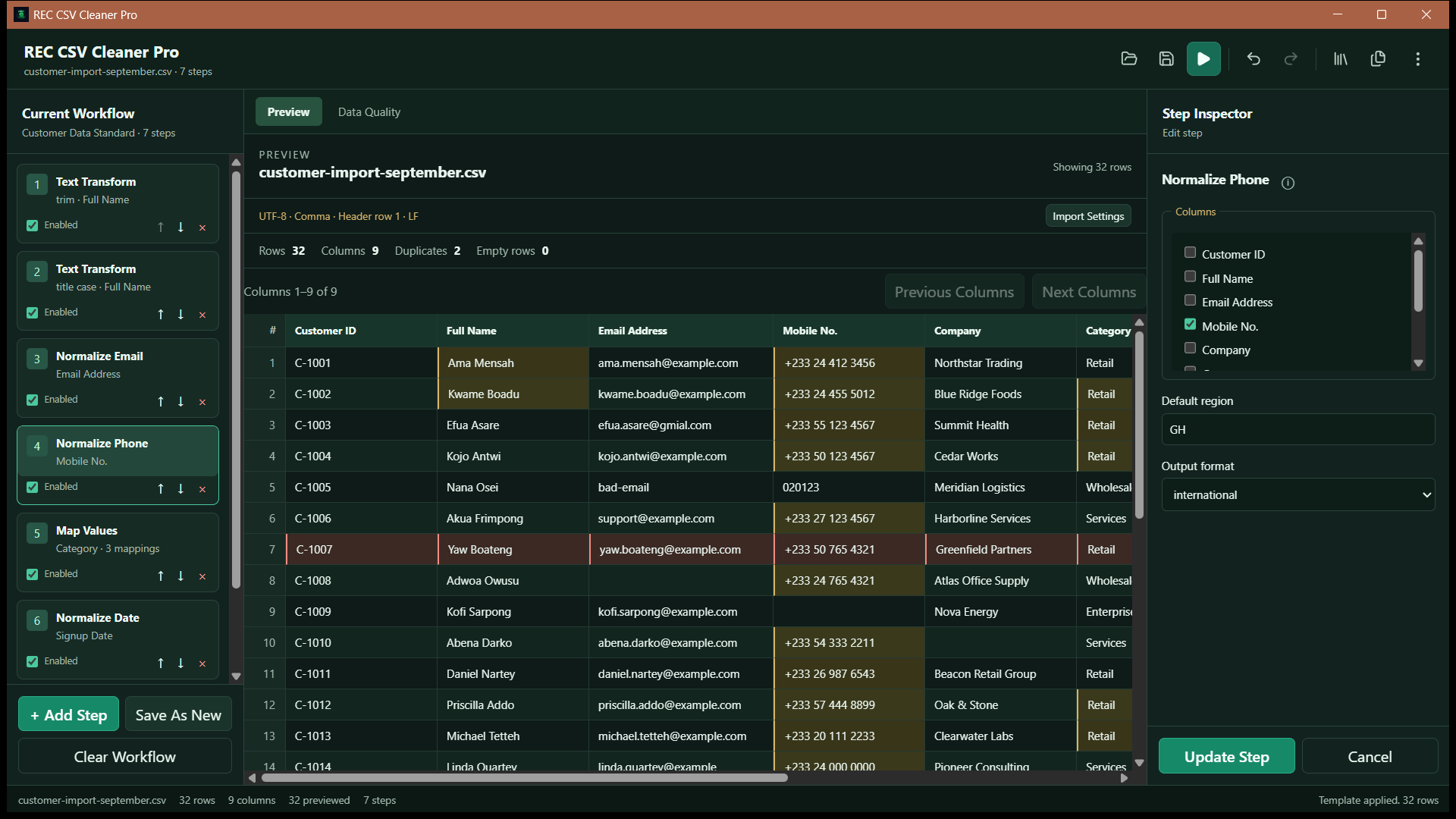
REC CSV Cleaner Pro main workspace showing an ordered data-cleaning workflow
REC CSV Cleaner Pro data-cleaning workspace

Core tools

From Messy Input to Reusable Output

A controlled desktop workflow for importing, transforming, validating, and exporting tabular data.

Controlled imports

  • CSV, TSV, TXT, and XLSX
  • Encoding and delimiter controls
  • Header and worksheet selection
  • Preview and malformed-row review

Transformations

  • Text cleanup and normalization
  • Find, replace, regex, and value mapping
  • Split, merge, rename, and reorder columns
  • Filter, deduplicate, and remove empty rows

Data quality

  • Missing and duplicate values
  • Email and phone checks
  • Category variant analysis
  • Per-column quality profiles

Reusable output

  • Schema-aware saved workflows
  • Reviewed column mappings
  • Batch processing with per-file status
  • CSV and Excel workbook output

Import with control

Review the Data Before Cleaning Starts.

Open CSV, TSV, TXT/delimited text, or Excel workbooks with controls for encoding, delimiter, headers, and worksheet selection. Preview the result before committing to an import.
  • Detect or configure encoding and delimiters
  • Choose header rows and Excel worksheets
  • Detect and remove trailing blank columns
  • Review wrapped records, malformed rows, repeated headers, and control characters
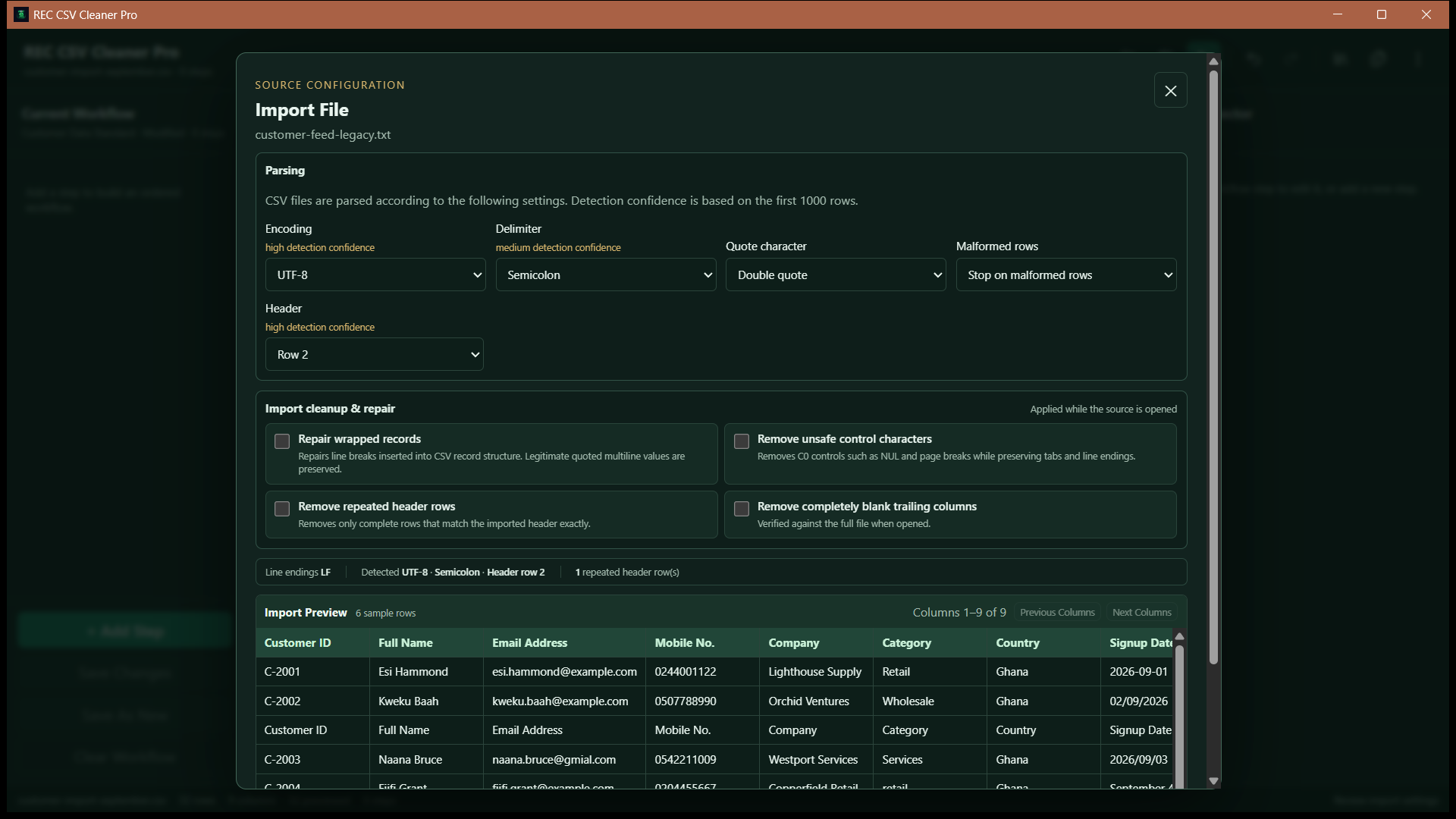
REC CSV Cleaner Pro import review with file structure and import controls
Review import settings before loading data
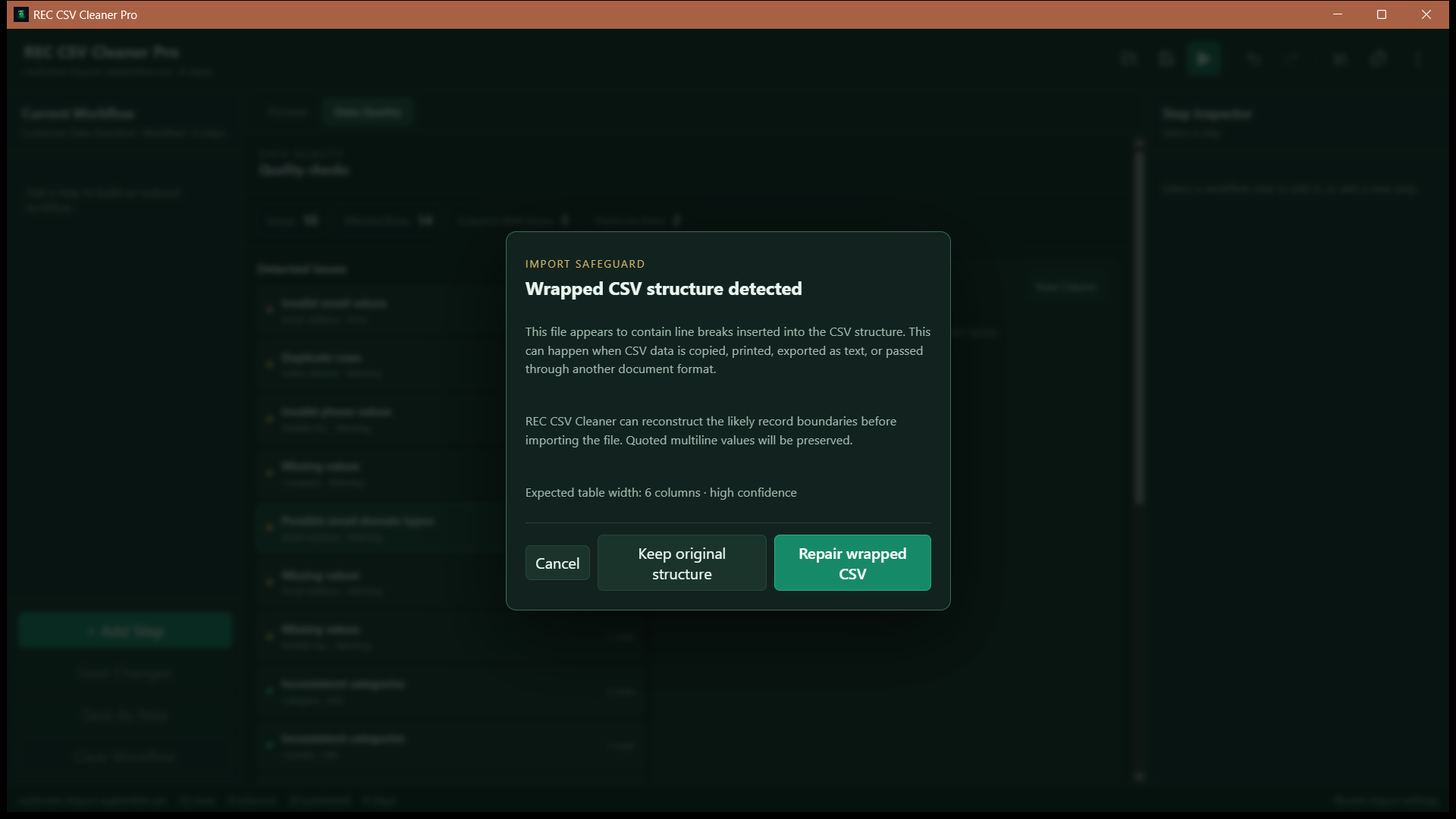
REC CSV Cleaner Pro import repair interface for reviewing problematic CSV rows
Inspect and repair problematic imports

Ordered transformations

Build Repeatable Cleaning Workflows.

Arrange the operations a file needs, review the order, and reuse the workflow later. Each workflow can be as short or detailed as the data requires.

  1. 1

    Import

  2. 2

    Trim

  3. 3

    Normalize

  4. 4

    Validate

  5. 5

    Remove duplicates

  6. 6

    Filter

  7. 7

    Export

Illustrative sequence only. Workflows run the steps the user selects, in the order they configure.

Data Quality Center

Understand What Needs Attention.

Profile columns and surface common quality issues before deciding how to handle them. Email checks cover format and quality signals without connecting to inboxes.
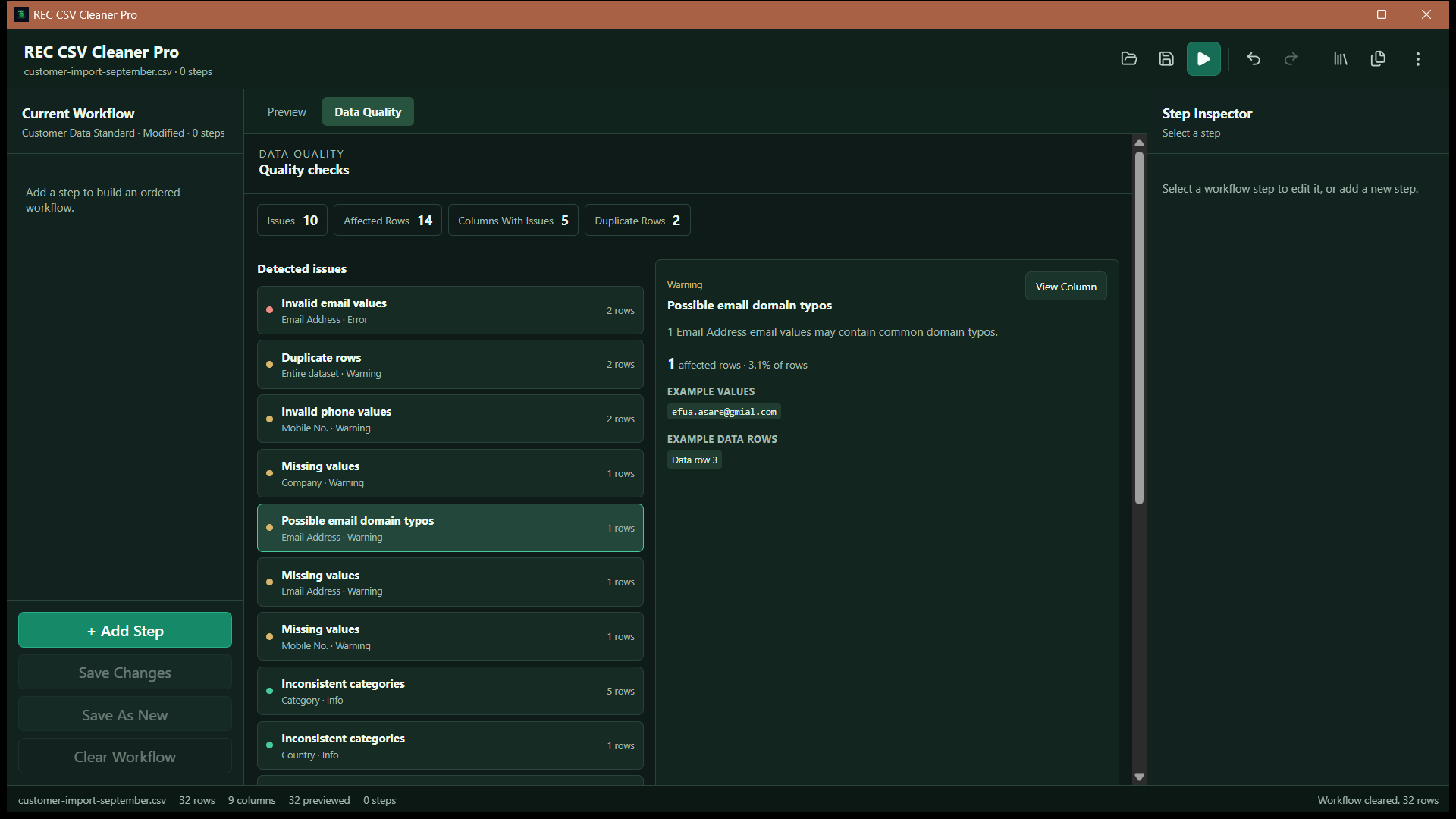
  • Missing values and duplicate rows
  • Invalid emails, likely domain typos, disposable providers, and role/shared addresses
  • Invalid phone numbers and inconsistent category variants
  • Optional mail-domain checking when internet access is available
REC CSV Cleaner Pro Data Quality Center showing validation and quality checks
Profile and review data-quality issues

Schema-aware templates

Reuse the Workflow, Not Just the Steps.

Saved templates remember both the cleaning workflow and the source schema it was built for, helping later files map into the same process without guessing.
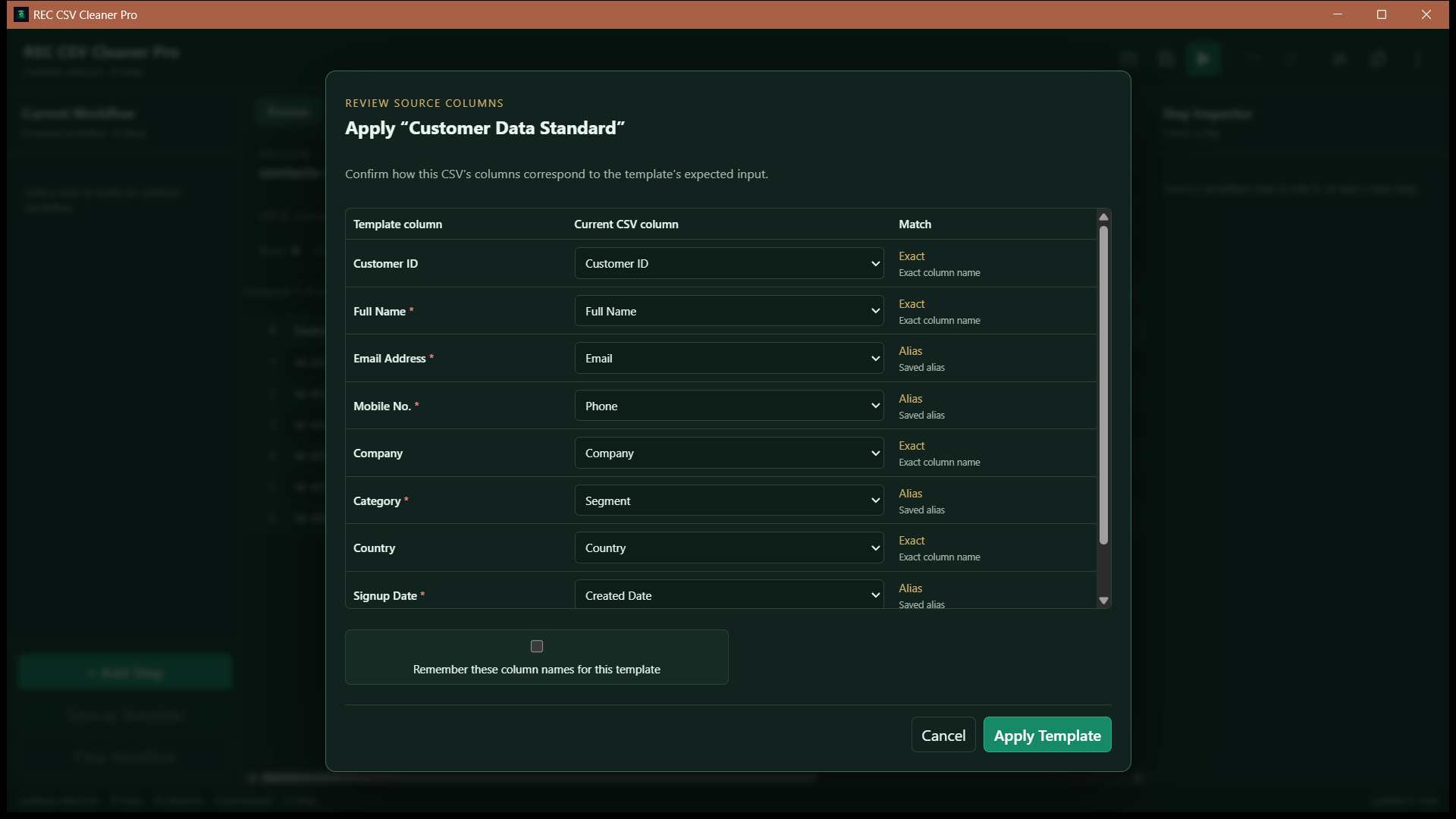
  • Exact and normalized column matching
  • Saved aliases and conservative fuzzy suggestions
  • Review ambiguous mappings before running
  • Keep one-to-one mappings and optionally remember successful aliases
REC CSV Cleaner Pro schema-aware template mapping source columns to a saved workflow
Review schema mappings before reusing a workflow

Batch processing

Process a Queue Without Losing Control.

Choose a saved schema-aware template, add files or folders, optionally discover subfolders, and review compatibility before sequential processing begins.
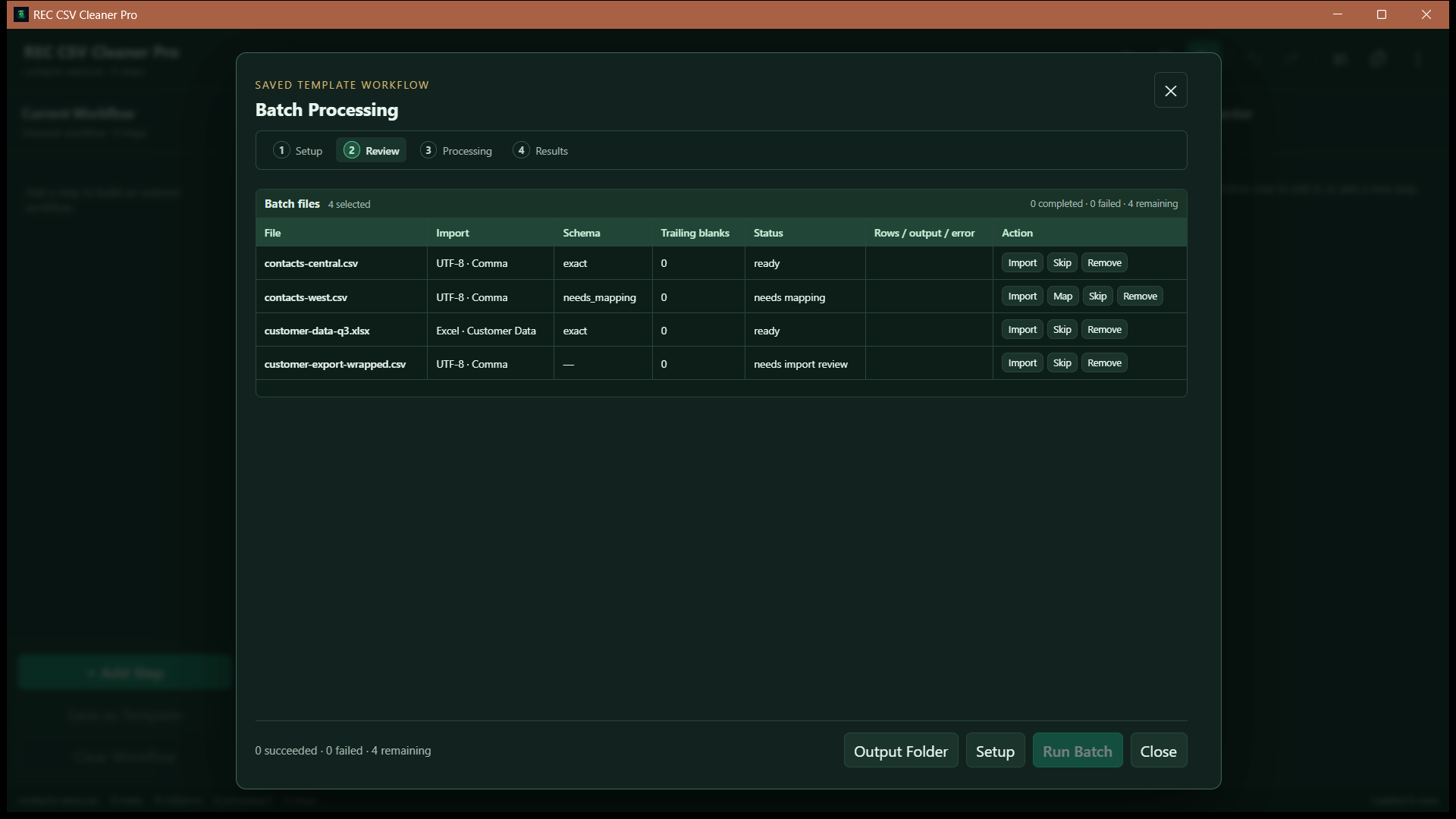
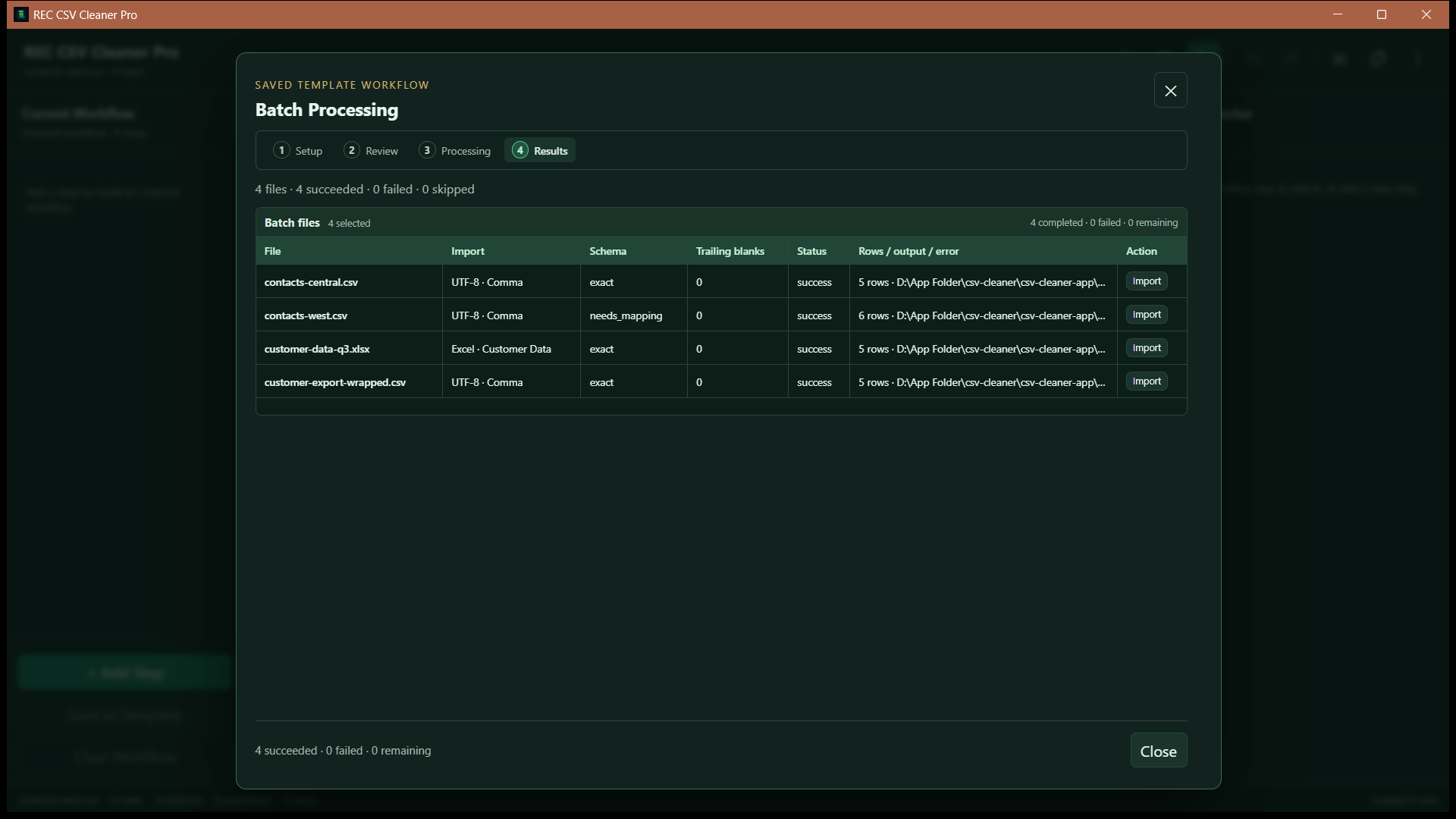
  • Per-file success and failure status
  • Continue after an individual file fails
  • Configurable output folder and collision-safe names
  • Trailing blank-column cleanup for supported imports
REC CSV Cleaner Pro batch review showing queued files and compatibility checks
Review files before batch processing
REC CSV Cleaner Pro batch results showing per-file processing status
See per-file results after processing

Supported operations

Choose the Transformations the Data Needs.

Combine text, row, column, and value-normalization steps into an ordered workflow rather than relying on a one-click cleanup.

Text cleanup

  • Trim whitespace
  • Collapse whitespace
  • Uppercase, lowercase, and title case
  • Unicode normalization
  • Remove special characters
  • Find/replace and regex replacement
  • Map values
  • Fill empty cells

Rows

  • Filter rows
  • Remove empty rows
  • Deduplicate rows

Columns

  • Split and merge columns
  • Rename, delete, and duplicate columns
  • Reorder columns

Structured values

  • Normalize email values
  • Normalize phone numbers
  • Normalize dates
  • Normalize numbers

Local-first processing

Core Cleaning Stays on the Desktop.

Imports, transformations, profiles, templates, and exports run as local Windows workflows. Most email-quality checks also run locally.

Optional network check: mail-domain checking requires internet access and queries only the email domain. It does not connect to mailboxes or send verification messages.

For details about local file processing, saved templates, Microsoft Store services, and optional DNS lookups, read the REC CSV Cleaner Pro Privacy Policy.

Available Now

Repeatable Data Cleaning for Windows.